
What's New in Business Central 2026 Wave 2: AI Gets Smarter—and Everyday Work Gets Easier
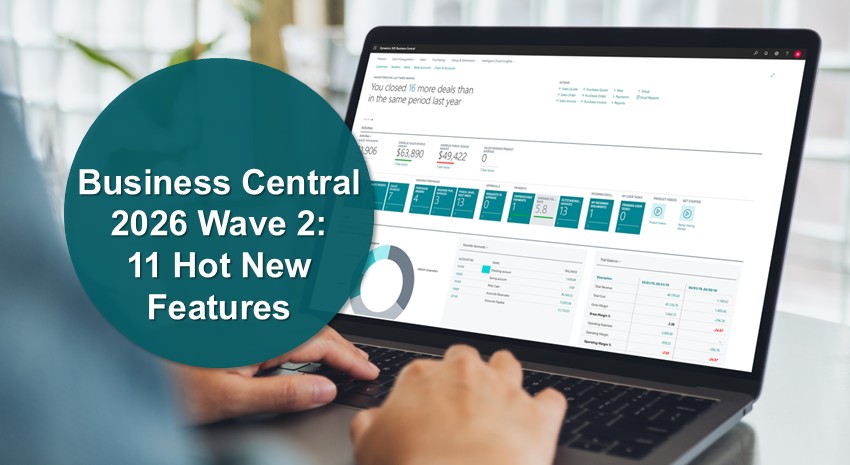
Microsoft Dynamics 365 Business Central 2026 release wave 2, released in October, brings another substantial collection of new features and improvements.
Microsoft’s release documentation covers everything from developer tooling and administration to localization, performance, and application enhancements. But if you’re a Business Central user, finance leader, manufacturer, distributor, or business decision-maker, you’ll want to know what’s new and what matters.
We went through the Business Central 29.0 preview and pulled out the changes we think are most worth watching. There’s plenty of AI—including a more capable Copilot experience and smarter AI agents—but some of the most useful enhancements address everyday business challenges in financial reporting, eCommerce, EDI, quality management, subcontracting, and production planning.
Here are our top 11 new features coming in Wave 2:
1. A new, unified Copilot chat experience
One of the biggest changes in Wave 2 is a new Microsoft Copilot experience for Business Central.
Rather than treating Copilot primarily as a collection of AI capabilities embedded in individual processes, Microsoft is moving toward a more unified conversational experience. The new Copilot chat can reason across Business Central business data, web information, and general knowledge through an interface designed to align more closely with the broader Microsoft Copilot experience.
Why does that matter? Business Central is moving closer to a world where users don’t always need to know where information lives or which screen to open before they can work with it. Increasingly, they can start with a question or task and let Copilot help them get to the information they need.
This isn’t just “more AI.” Copilot is becoming another way to interact with Business Central itself.
NOTE: This feature is currently only available in Public Preview.
2. Expense agent takes on more of the expense-management process
Expense Agent gets a significant upgrade in Wave 2, including AI-based expense-policy validation that can help identify suspicious or noncompliant expenses.
Microsoft is also adding capabilities around duplicate prevention, approval processes, travel requisitions, interim approvers, mileage calculations based on date and vehicle type, and withholding taxes.
Taken together, these enhancements move Expense Agent beyond helping with individual tasks and toward an intelligent, end-to-end expense-management process that can automate more work while still incorporating organizational policies and approvals.
NOTE: These features are currently only available in Public Preview.
3. Payables Agent gets better at matching purchase orders
Accounts payable is another area where Microsoft’s agent strategy continues to mature.
In Wave 2, Payables Agent improves purchase-order matching by considering factors including line amounts and expected receipt dates. Microsoft is also aligning draft finalization with Receipt on Invoice settings.
For AP teams, this is where agentic AI gets particularly interesting. The better an agent becomes at understanding the context surrounding an invoice, the more of the repetitive matching process it can potentially take off employees’ plates.
Together, the Expense and Payables Agent enhancements point toward a larger trend: AI agents are moving from assisting with work toward taking on more complete business processes.
4. Shopify integration gets much better for B2B eCommerce
Wave 2 significantly expands Business Central’s Shopify capabilities, particularly for organizations selling business-to-business.
Business Central v29 will support management of Shopify B2B companies, catalogs, and pricing, including company tax identifiers, B2B catalogs, and price synchronization.
Other eCommerce enhancements include improved handling of order changes, exchanges and refunds; tariff numbers and country of origin; and AI-assisted tax matching.
The cumulative effect matters: Business Central is becoming better equipped to support complex eCommerce, not just basic online orders.
For distributors and other organizations expanding their digital sales channels, this one is worth watching.
5. Report packs make financial reporting more convenient
Not every great improvement needs AI.
Wave 2 introduces report packs, allowing users to group multiple financial reports and produce them as a single PDF. Users can run packs immediately or schedule them for delivery to report inboxes or email.
Think about a typical month-end management package containing an income statement, balance sheet, cash flow statement, and departmental reports. Rather than producing and distributing them individually, finance can package them together and automate more of the process.
It’s a straightforward enhancement that could eliminate a surprisingly tedious recurring task.
6. Financial reports become easier to audit and troubleshoot
Microsoft is also strengthening the tools that support accurate, transparent financial reporting in Business Central.
In Business Central 2026 release wave 2, changes to financial report definitions are logged automatically, and users can trace where G/L accounts are used in financial reports. Additional reporting tools help finance teams identify uncategorized accounts, examine report calculations, and preview financial reports as they develop them.
The practical benefit is simple: It should become easier to understand where a number came from and why it appears where it does—especially when something doesn’t look right.
7. Business Central expands EDI through eDocuments
This doesn’t mean every organization can suddenly eliminate its existing EDI solution; requirements vary considerably by company, trading partner, document type, and industry.
But expanding electronic document exchange in Business Central’s native eDocuments framework is noteworthy, particularly for manufacturers and distributors looking to reduce manual document handling and integration complexity.
NOTE: This feature is currently in Public Preview.
8. Quality management requires less manual work
Manufacturers also get some useful quality-management improvements in this release.
Completing an inspection can automatically populate passed and failed quantities, while improved actionable errors can take users directly to the inspection preventing a transaction from being posted.
Neither change sounds revolutionary. But these are exactly the kinds of small workflow improvements that can save meaningful time when you repeat the same process hundreds or thousands of times.
9. Subcontracting gets easier for manufacturers
Wave 2 brings easier subcontracting setup, support for warehouse picks and put-aways in subcontracting scenarios, and the ability to carry routing comments and attachments into purchase orders.
That last enhancement could be especially useful. Outside suppliers may need drawings, specifications, routing information, or other instructions to operate correctly. Better continuity between production and the documents sent to subcontractors can reduce manual communication and help ensure important information travels with the work.
10. Production Planning and Capacity Management get easier
Manufacturing planners also get several practical improvements.
Business Central 2026 release wave 2 also improves manufacturing workflows, with enhancements to production documents, planning activities and capacity calendars. Users can create released production orders from planning worksheets, manage manufacturing capacity and use improved navigation to investigate planning errors.
These may not be headline-grabbing features, but they reduce the everyday friction involved in turning demand into production, resolving planning issues, and managing capacity.
11. Show recently used records in lookups and recently searched in Tell Me
Frequently accessed records can appear as smart lookup suggestions, reducing repeated searches for the same customers, vendors, items, and other records. Plus, users can find pages faster by accessing recent searches in Tell Me.
Honorable mentions: A few more Wave 2 features worth watching
A few other improvements didn’t quite make our top 10 but are still worth knowing about:
- Bookmark list views and Analysis tabs: Users can bookmark useful Business Central views and Analysis tabs in the Role Center or add them to profiles for quicker access.
- More report automation: New Report Inbox APIs in Business Central 2026 release wave 2 give developers and integrations access to report entries, files, and related information, creating opportunities to automate report retrieval and processing through tools such as Power Automate and MCP-enabled AI agents.
- Expanded sustainability tracking: Business Central continues to add carbon-footprint tracking across areas including fixed assets, service management, purchasing, and item journals.
- Performance improvements for table extensions: Changes to how table extension fields are stored improve data-loading performance.
The bigger Wave 2 story: AI is becoming part of the work
If there’s one theme running through Business Central 2026 release wave 2, it’s that AI is becoming less separate from the application itself.
Copilot is evolving into a broader conversational interface. Expense Agent and Payables Agent are taking on more of the processes surrounding their respective roles. AI is also appearing inside specific workflows such as Shopify tax matching.
At the same time, Microsoft hasn’t forgotten the less glamorous work Business Central users perform every day. Financial reporting, eCommerce, EDI, quality management, subcontracting, production planning, and navigation are all getting attention.
The most useful ERP innovation isn’t necessarily the feature that makes the best demo. It’s the one that eliminates a recurring task, provides better information, removes a manual handoff, or makes a process easier every single day. Business Central 2026 release wave 2 offers quite a few of those.
One more change: Where to find what’s coming next
Microsoft is also changing how it communicates future Business Central capabilities. Beginning in September 2026, Microsoft will no longer publish new Release Plans and will direct users to the AI at Work roadmap for information about upcoming Dynamics 365 and Power Platform capabilities. Existing release plans will remain available for historical reference.
Stay up to date with ArcherPoint by Cherry Bekaert
As Wave 2 moves from preview toward general availability, ArcherPoint will continue watching which capabilities make the final release, when they become available, and what they mean for Business Central users.
Contact ArcherPoint by Cherry Bekaert to learn more about how you can leverage Business Central’s new features for your business.
Trending Posts
- Login Error: Communication protocol mismatch between client and server
- How to Make Measures Total Correctly in Power BI Tables
- The Microsoft Technology Stack – What Is It & Why Should You Care?
- MRP vs. MPS: Choosing the Right Planning Approach for Your Manufacturing Business
- Designing a Connected Student Engagement Technology Stack
Stay Informed
Subscribe to Communications
"*required" indicates required fields