
February 1, 2015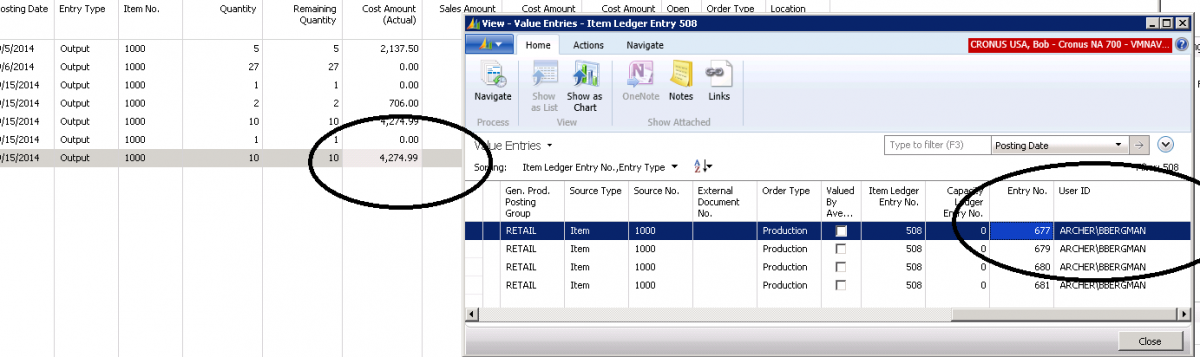
Finding the User ID on Inventory Transactions in Dynamics NAV
There are times when you would like to know the person’s name that posted an entry to inventory. When you look at the Item Ledger Entry for the User ID, you cannot find it there.
To locate the User ID for the person who posted the transaction to inventory, drill down on the Cost Amount (Actual) to see the Value Entries for that transaction. The Value Entry will show the User ID.
Figure 1 – The Value Entry will show the User ID of the individual who posted a transaction to inventory
For more information on this or any other Dynamics NAV costing topic, please contact ArcherPoint.
Read more “How To” blogs from ArcherPoint for practical advice on using Microsoft Dynamics NAV.
Trending Posts
- Login Error: Communication protocol mismatch between client and server
- How to Make Measures Total Correctly in Power BI Tables
- The Microsoft Technology Stack – What Is It & Why Should You Care?
- MRP vs. MPS: Choosing the Right Planning Approach for Your Manufacturing Business
- Designing a Connected Student Engagement Technology Stack
Stay Informed
Subscribe to Communications
"*required" indicates required fields