
How to Block a Location in Microsoft Dynamics NAV

We have seen some questions on the various Dynamics NAV Forums about how to ‘Block’ a location in Dynamics NAV.
Unfortunately there isn’t a current method to do so, so we offer this work-around. It is not the perfect solution, but it works.
NOTE: This work-around is to not create (or remove) the Inventory Posting Setup for this location.
To begin, we created a location called ‘TEST.’
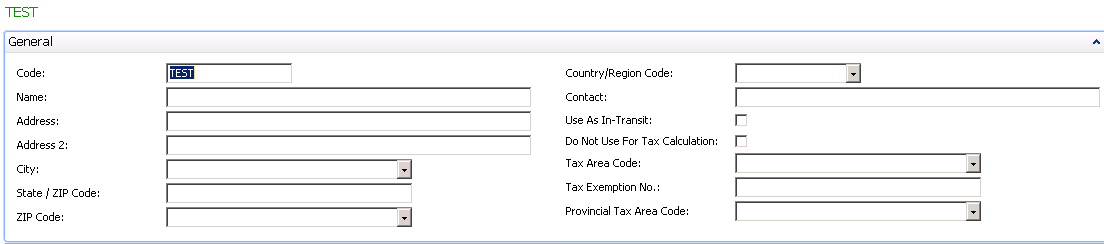
Figure 1 – Create a new Location
We created a Purchase Order and then tried to receive it into the TEST Location and got the following error:
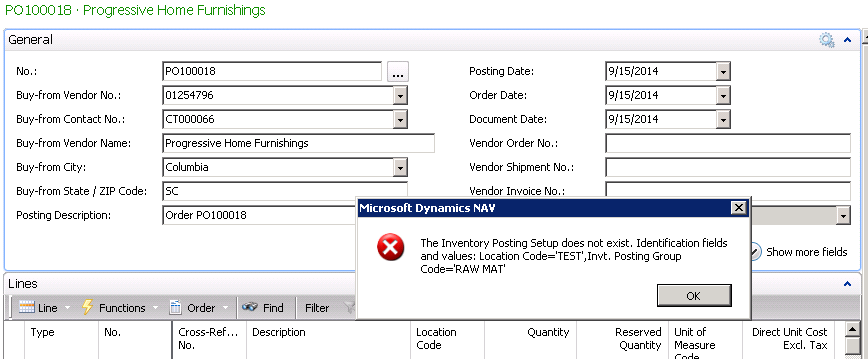
Figure 2 – Error displayed when trying to receive a Purchase Order into the new Location
Make sure to run Adjust Cost/Post Cost before you delete the posting setup.
For more information on this or any other Dynamics NAV topic, please contact ArcherPoint.
For more step-by-step instructions on how to perform specific tasks in Microsoft Dynamics NAV, see our collection of How-To blogs.
Trending Posts
- Login Error: Communication protocol mismatch between client and server
- How to Make Measures Total Correctly in Power BI Tables
- The Microsoft Technology Stack – What Is It & Why Should You Care?
- MRP vs. MPS: Choosing the Right Planning Approach for Your Manufacturing Business
- Designing a Connected Student Engagement Technology Stack
Stay Informed
Subscribe to Communications
"*required" indicates required fields