
Item Category and Product Group Code in Microsoft Dynamics NAV

There was a question recently on a Dynamics NAV Forum asking, “What is the Product Group Code on the Item Card used for?”
If we look at an Item Card in Dynamics NAV, we see the field for Product Group Code.
Above it, there is a field for Item Category Code.
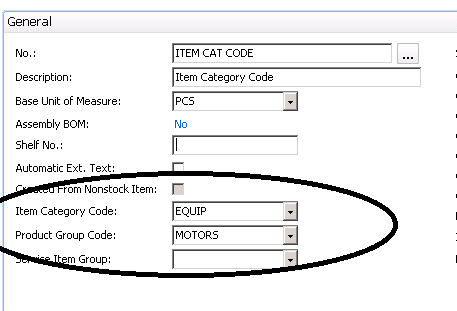
Figure 1 – Item Card, showing the Item Category Code and Product Group Code
Before we can explain how the Product Group Code is used, we need to explain how the Item Category Code is used.
The Item Category Code on the item is used to classify the item for filtering and reporting. It is also used to set defaults for Costing Method, General Product Posting Group, and Inventory Posting Group.
When a user enters a new item, and enters an Item Category Code, the system will insert the defaults.
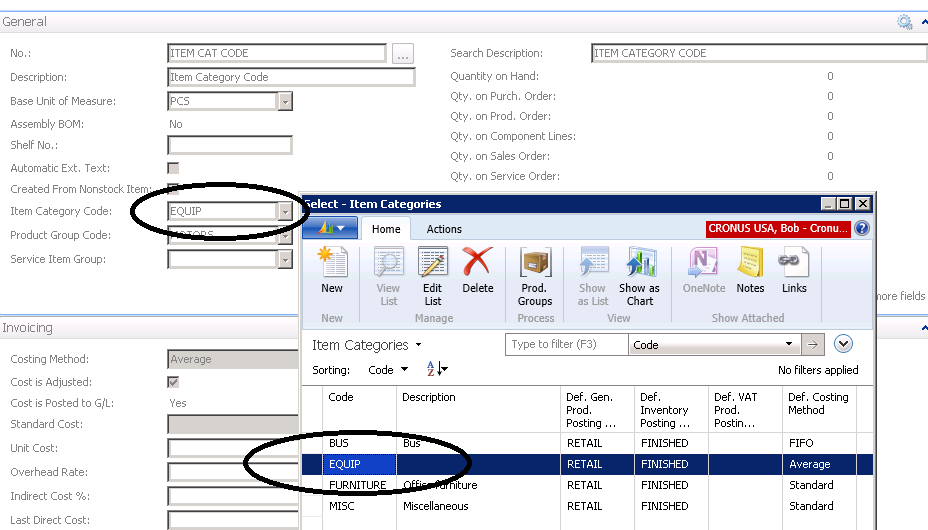
Figure 2 – View of Item Category Code options
The Product Group Code is a subset of the Item Category Code and is also used for classifying items for filtering and reporting.
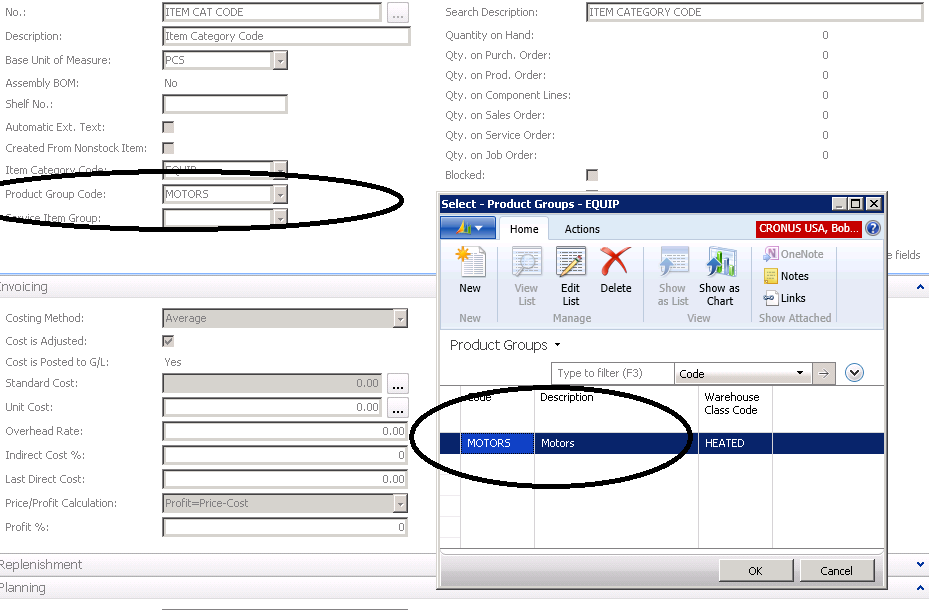
Figure 3 – View of Product Group Code options
Now if someone asks you where you set up the Warehouse Class Code for an item, it is set up in the Product Group Code.
For more step-by-step instructions on how to perform specific tasks in Microsoft Dynamics NAV, see our collection of How-To blogs.
Trending Posts
- Login Error: Communication protocol mismatch between client and server
- How to Make Measures Total Correctly in Power BI Tables
- The Microsoft Technology Stack – What Is It & Why Should You Care?
- MRP vs. MPS: Choosing the Right Planning Approach for Your Manufacturing Business
- Designing a Connected Student Engagement Technology Stack
Stay Informed
Subscribe to Communications
"*required" indicates required fields