
Understanding Business Central for Industrial Equipment Manufacturers

Industrial equipment manufacturing is marked by custom builds, long lead times, and tightly regulated quality standards. When tailored and implemented by ArcherPoint, Business Central helps facilities address these critical demands.
What is Microsoft Dynamics 365 Business Central for manufacturing?
Dynamics 365 Business Central is a scalable, cloud-based ERP platform for small and midsized businesses. For equipment manufacturers, Business Central integrates critical applications, such as:
- Scheduling: By keeping more of your data on one platform, Dynamics 365 Business Central makes it easy to schedule and maximize on-time delivery, even for complex production processes. Manage overlapping, multi-project schedules where a single bottleneck can delay production across multiple custom builds.
- Strategic planning: Business Central supports demand and capacity planning, enabling you to optimize your workflow for both longer and shorter turn times.
- Inventory management: Track parts, subassemblies, and more. Business Central leverages AI-powered tools such as Copilot and Power BI to enhance inventory forecasting.
- Capacity management: Maintain realistic scheduling as you grow by monitoring capacity, inventory, and project demands together.
Business Central’s manufacturing module specifically helps your organization with:
- Bill of Materials (BOMs), Material Requirements Planning (MRP): Automatically create order suggestions for BOMs based on data and manage your BOMs in one platform. Minimize the risk of under- and over-ordering any specific item. Business Central also supports complex, multi-level BOMs and can be extended with third-party solutions for highly specialized Engineer-to-Order (ETO) requirements.
- Routings: Define the exact process and sequence of events required to create each piece of industrial equipment — including every tool, process, and resource needed to ship the final product.
- Production orders: Business Central automatically moves produced equipment into your inventory, so you can see what you can ship or sell. Sales, order fulfillment, and your financial department all get real-time visibility.
How Business Central improves manufacturing operations
Many new and smaller businesses in this sector start with a patchwork of software solutions. But to be productive with limited resources, you need a high-level view of your business and see how financials, supply chain, operations, manufacturing, service, sales, and project management interact.
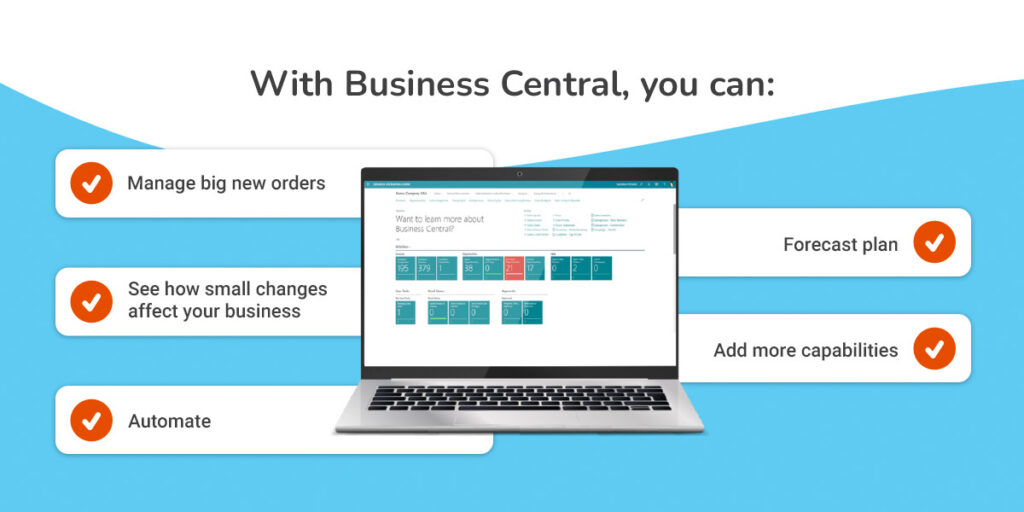
With Business Central, you can:
- Manage big new orders: When an important order comes in, capacity management lets you see whether you need to add team members or resources to meet the customer’s demands. Adapt plans instantly to meet customer needs and drive repeat business.
- See how small changes affect your business: Unified data reveals the business impact of changes like new hires or vendor switches — across financials, projects, and operations.
- Automate: Streamline workflows and reduce manual data entry.
- Forecast plan: Some components may come from overseas, with long lead times. This platform helps you predict demand, allowing you to make better decisions today about how to meet orders over the next few months.
- Add more capabilities: Business Central integrates natively with Microsoft 365 and Power BI and can be connected to specialized plant equipment with additional configuration or third-party solutions.
Business Central makes it easier to manage both long-term orders and immediate production needs.
Implementing Business Central for equipment manufacturing
Upgrading from a legacy ERP or basic accounting software? Start with a business evaluation. Consider:
- Your current technology: One of the benefits of a cloud-based platform like Business Central is that you can use it on multiple devices. Consider what technology and systems you use today that you will want to use with Business Central.
- Your operational needs: You can use Business Central to more efficiently operate your business while addressing some of the functionality gaps you experience now.
- Timelines: Implementing and customizing an entire ERP system starts with evaluating your needs, customizing and integrating the system, and providing your team with the resources and training to use it effectively. Consider how much time you can devote to the process and when you want the system to be usable.
- Spearheading: Consider who will take ownership of implementing Business Central and who can actually tackle implementation, communication, and more.
- Buy-in and training: Part of any successful implementation is ensuring your team understands the change and knows how to use the new system. Time your implementation and launch during a slower time of year, so your team can focus on and experiment with Business Central. Set up training to help your team get to know the platform.
Setting up Business Central for manufacturing allows you to:
- Define product characteristics, including costing methods and base units of measure.
- Configure BOMs that outline all materials and quantities required for finished equipment.
- Define routings by sequencing production operations, including setup times, run times, and the specific machines or work centers required.
- Set up “make to order” (MTO) and “make to stock” (MTS) scenarios for items you need to buy, assemble, or produce.
- Map custom engineering workflows.
- Enable built-in compliance documentation.
- Integrate field service and warranty tracking.
- Automate multi-level approval processes for design and procurement changes.
- Establish assignments based on availability, managing shop floor capacity and supporting realistic production schedules.
- Set up version control to manage part substitutions.
- Track materials sent to vendors and tasks subcontracted out.
ArcherPoint can provide support with all these steps. We start with a solid understanding of your operations, so we can create tailored solutions and make recommendations. Our clients range from heavy construction machinery producers to custom food processing equipment manufacturers. We work with you to adapt Business Central for advanced manufacturing methods, detailed traceability, and regulatory compliance.
We can implement Business Central more quickly than internal teams without the same background. Our process saves you money and keeps our operations running by helping you avoid common mistakes companies make when implementing an ERP.
With an ongoing partnership with ArcherPoint, you move beyond implementation to ongoing refinement. Your ERP evolves as your products and compliance landscape change.
Contact us to implement Business Central for your industrial equipment manufacturing process.
We are a Certified Microsoft Dynamics Solutions Partner, helping businesses implement modern solutions since 2002. Ready to modernize your operations? Contact ArcherPoint to speak with an expert.
Trending Posts
- Login Error: Communication protocol mismatch between client and server
- How to Make Measures Total Correctly in Power BI Tables
- The Microsoft Technology Stack – What Is It & Why Should You Care?
- MRP vs. MPS: Choosing the Right Planning Approach for Your Manufacturing Business
- Designing a Connected Student Engagement Technology Stack
Stay Informed
Subscribe to Communications
"*required" indicates required fields