
Tackling the Ticketing Challenge: Smarter Event Management for Student Unions

Student Unions are at the heart of campus life—bringing students together for everything from society socials and club nights to career fairs, charity events, and guest speakers. However, with so many different event types, venues, and audiences to manage, event ticketing can quickly become one of the most complex and time-consuming parts of a Union’s operation.
If you’re still juggling spreadsheets, outdated booking tools, and disconnected systems, you’re not alone. Student Unions are feeling the pressure to modernize their event management.
Common Student Union Ticketing Issues
Running a diverse portfolio of student events presents unique challenges, including:
1. Fragmented Systems
Many Student Unions use a patchwork of tools for ticket sales, guest lists, and payment processing. This not only increases the chance of human error but also makes reporting difficult and time-consuming.
2. Limited Flexibility
Events range from seated conferences to standing room gigs and everything in between. Some systems simply don’t allow flexibility to support different venue layouts, pricing tiers, or ticket types—like member-only access or early-bird deals.
3. Inconsistent Student Experience
When students must book tickets through clunky systems or different platforms for each event, it creates friction—and that can affect attendance and engagement.
4. Poor Visibility & Oversight
It’s hard to ensure proper oversight and financial transparency when data is scattered across multiple systems. Union leadership needs to see what’s working (and what’s not), in real time.
How LS Central Solves These Problems
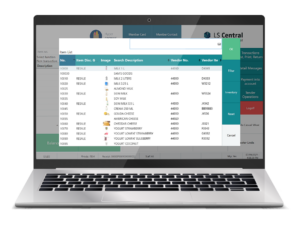
LS Central brings all your ticketing and event operations into one centralized platform—integrated with your POS, inventory, membership system, and financials. Here’s how it addresses key Union needs:
✔ Unified Booking and Ticketing
Manage event ticketing from the same system you use to run your shops, bars, and cafés. Create events, set up ticket tiers (e.g., general admission, VIP, society discounts), and sell directly at the POS, online, or via mobile.
✔ Real-Time Seating & Capacity Management
For seated events, view and manage table or seat availability in real time. Assign seats, track capacity, and avoid overbooking. Perfect for formal dinners, debates, or venue-based events.
✔ Flexible Pricing & Membership Integration
Offer discounts automatically based on student memberships, club affiliations, or loyalty schemes—without needing manual checks or promo codes.
✔ Mobile & On-Site Scanning
Validate tickets at the door with mobile devices, enabling quick check-ins and reducing queues. This is ideal for high-traffic events like club nights or Freshers’ fairs.
✔ Central Reporting & Financial Oversight
Track revenue, attendance, and ticket trends across all events in one place. Easily share financial reports with Union leadership and stakeholders, ensuring transparency and supporting strategic planning.
Bonus: Food, Drink, and Merchandise Add-Ons
LS Central goes beyond just selling a ticket. You can also:
- Bundle retail items (like event merch or drink tokens) with ticket purchases.
- Let guests pre-order food for dining events or VIP areas.
- Connect purchases to reservations, automating billing and reducing admin.
This means less manual coordination for your staff and a more seamless experience for attendees.
Build Better Campus Events
Student Unions are more than just event organizers—they’re community builders. But building a thriving event culture takes more than great ideas. You need tools that support your staff, simplify your workflows, and offer the flexibility to adapt to every kind of student gathering.
With LS Central’s all-in-one ticketing functionality, you can stop fighting with disconnected systems—and start focusing on what matters: delivering incredible events that students remember.
Ready to simplify ticketing for your Student Union?
Contact us to learn more or book a demo today.
Trending Posts
- Login Error: Communication protocol mismatch between client and server
- How to Make Measures Total Correctly in Power BI Tables
- The Microsoft Technology Stack – What Is It & Why Should You Care?
- MRP vs. MPS: Choosing the Right Planning Approach for Your Manufacturing Business
- Designing a Connected Student Engagement Technology Stack
Stay Informed
Subscribe to Communications
"*required" indicates required fields