
Using the Application Profiler to Run Code Coverage in NAV 2013 R2

Previous versions of Microsoft Dynamics NAV (Navision) provide a code coverage tool that is used to trace C/AL Code, and developers had the ability to scan a piece of code which is executed during an action. This was a very helpful debugging tool. Even in NAV 2013, Microsoft shipped the Application tool set with this code coverage tool; however, this is not the case with NAV 2013 R2.
In this blog, I will explain how to use the tool offered in NAV 2013 R2, the Application Profiler. This tool can be downloaded from navappprofiler.codeplex.com.
The downloaded file contains DLLs and several objects in .txt format. It also contains a readme file which will guide you through the easy install process. NOTE: Rename the object numbers if you already used them.
To run the code coverage, run the Page 50000/Performance Profiler:
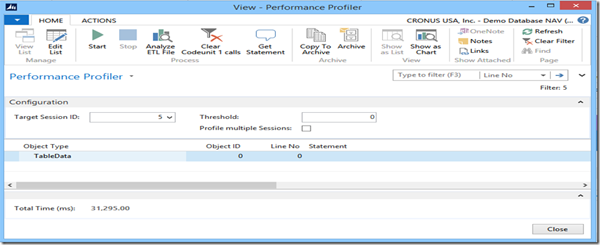
Figure 1. Performance Profiler.
To trace the C/AL code for an action, select the session for which you want to execute the trace from the Target Session ID and click Start.
After executing the actions click stop. In the below example, I executed the Post action for the Sales Order. The data it collects is combination of SQL Statements and C/AL code as shown in the figure:
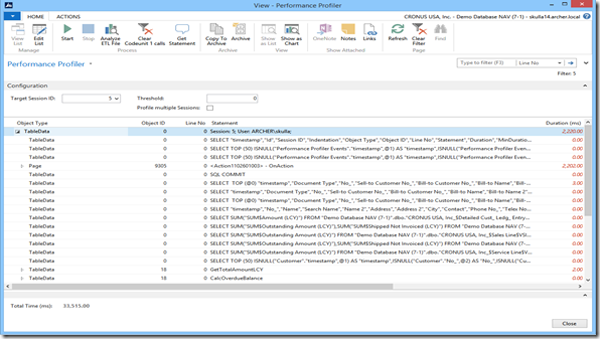
Figure 2. Trace for Post Action for Sales Order.
To view only the C/AL code, set the filter for the object ID to <> 0, and you will see all the C/AL statements it executed for the action. You can view all the code and analyze it from the result set.
In a later blog, I will discuss the process for NAV 2015. Please leave your questions, suggestions, or comments below, or contact ArcherPoint.
Read more “How To” blogs from ArcherPoint for practical advice on using Microsoft Dynamics NAV.
Trending Posts
- Login Error: Communication protocol mismatch between client and server
- How to Make Measures Total Correctly in Power BI Tables
- The Microsoft Technology Stack – What Is It & Why Should You Care?
- MRP vs. MPS: Choosing the Right Planning Approach for Your Manufacturing Business
- Designing a Connected Student Engagement Technology Stack
Stay Informed
Subscribe to Communications
"*required" indicates required fields